
Twitter Video Download
Vidmark Inc.Video Players & Editors
4.678.00 Reviews
- Version
- 1.1.8
- Installs
- 500.00K
- Age Rating
- Everyone
Screenshots


Our Review of Twitter Video Download
 Analysis by Appyee
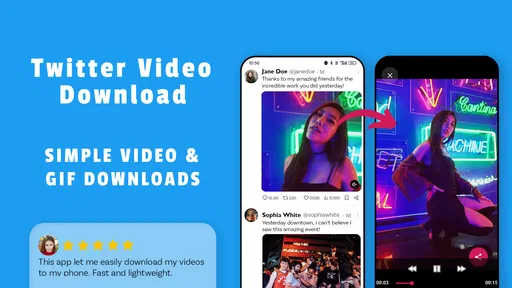
When I want to keep a short clip from a social post for later, my main concern is usually the handoff: can I get from a tweet link to a usable file without turning a quick task into a project? Twitter Video Download is built for that narrow job. It is a free video-downloading app from Vidmark Inc., and the appeal is its direct focus on saving videos and GIFs rather than editing them or building a full media library. I’d consider it when I already know which post I want to keep and want a simple route from link to local copy.
Start with the post, not the app
A realistic use case is seeing a useful how-to clip while scrolling, then wanting it available when you are away from a reliable connection. I would first copy the tweet’s link, switch to the app, and paste it. That link-first workflow is useful because it gives me a moment to check that I have the right post before saving anything. If I am collecting several clips for a project, I would keep a short note of why each one matters; a downloaded file is much easier to recognize later when I have preserved its context.
The app’s store summary focuses on quickly saving videos and GIFs, and that is the right way to think about its role: a small utility for moving media out of a social feed. It is not a replacement for a video editor, a general-purpose browser, or a social app’s own bookmarking tools. A bookmark keeps a post connected to its source, while a local download is more convenient for offline viewing. I would choose between them based on whether I need the file itself or simply want to find the post again.
Moving from link to saved file
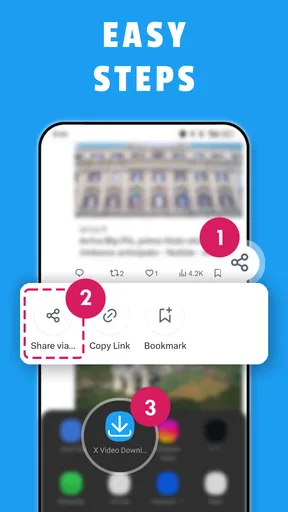
In the workflow described for the app, you copy the link to a tweet that contains the clip and paste it into the downloader. That is a sensible handoff: the social app remains where I find and assess the post, while the downloader handles the saving step. Before starting, I would make sure the copied link belongs to the post with the media rather than a reply or a profile page. That small check can prevent a confusing dead end and is especially helpful when a thread contains several clips.
After the link is pasted, the goal is to save the media in a form I can find and use later. For a quick personal collection, the practical question is not just whether the download begins, but whether I can identify the result after I leave the original feed. If I am saving a clip for a presentation or a conversation, I would give the file a clear name when possible and keep track of the original post separately. That way, the saved copy does not become detached from the person or context that made it useful.
What makes this utility different
Compared with the usual alternatives, this app occupies a narrower lane than a full video editor. An editor is better when I need to trim, add captions, combine clips, or prepare a finished piece; a downloader is better when the immediate aim is simply to keep a copy. A social-platform bookmark is even lighter and preserves a route back to the source, but it may not serve someone who wants to watch offline. The choice is less about which tool is universally best and more about whether I need access to the post, the media file, or an edited result.
That distinction also suggests a useful habit: decide what the saved clip is for before downloading it. If I only want to revisit an idea, bookmarking may be enough. If I need a local reference for a trip, a class discussion, or a personal collection, a download makes more sense. If I need to publish or substantially adapt it, I should use an editor and make sure I have the right to reuse the material. Saving a video for convenience does not automatically grant permission to redistribute it.
Who will get the most from it
I see the best fit as someone who regularly encounters particular videos or GIFs on Twitter and prefers to keep selected items close at hand. It may suit a student gathering visual references, a hobbyist saving demonstrations to review later, or a person who wants a funny clip ready to show when mobile service is poor. The app is rated for Everyone, and its current version is 1.1.5; it runs on Android 5.0 or later. It has a 4.4 average from around 4.1 thousand ratings, with over 100 thousand installs, which gives prospective users some adoption context without guaranteeing that every link or device will behave the same way.
I would skip it if I rarely need local copies, if I mainly want to edit videos, or if my priority is keeping a searchable archive with detailed tags and long-term cataloguing. In those situations, platform bookmarks, a dedicated media manager, or an editor may fit better. The app’s narrow purpose is a strength when I want a direct download flow, but it also means I should not expect it to take over every part of organizing or working with video.
Getting Started with Twitter Video Download
First things first, getting the Twitter Video Download app up and running is a breeze. Whether you're on Android or iOS, it's just a quick download from the app store. Once installed, you're greeted with a clean and straightforward interface. No clutter, just what you need to get those videos onto your device.
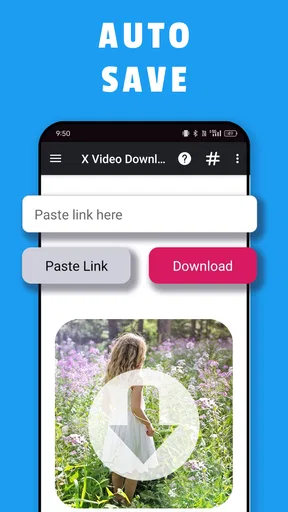
To start downloading, all you need to do is copy the link of the tweet with the video you want. The app automatically detects the link when you paste it, making the process super smooth. It's like the app is reading your mind—"Oh, you want that cat video? Say no more!"
Features That Stand Out
One thing I love about this app is its versatility. It doesn't just download videos; it also lets you save GIFs and even audio files. So, if you're into collecting those funny sound clips or memes, you're covered. Plus, the app supports high-definition video downloads, so you don't have to compromise on quality.
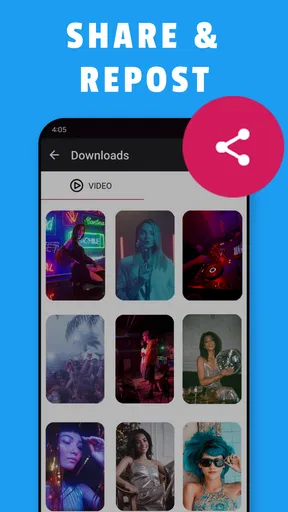
The app also lets you organize your downloads neatly. You can sort them by date, size, or even rename them for easy access. This feature is a lifesaver when you’re trying to find that one specific video amidst hundreds of downloads.
Performance and User Experience
Now, let’s talk performance. The app is impressively fast. I hardly noticed any lag or hiccups while downloading. Even with larger video files, it holds up pretty well. What’s more, it’s light on battery consumption. I didn't find my phone heating up or draining too fast, which is always a plus.
User experience-wise, it’s intuitive. You don’t need to be a tech wizard to navigate through it. The app guides you with simple prompts, and if ever you’re stuck, there’s a handy help section with easy-to-follow instructions.
Safety and Reliability
With all the apps out there, security is always a concern, right? Thankfully, Twitter Video Download takes privacy seriously. There's no need to log in with your Twitter account, so your personal data stays safe. Plus, the app doesn’t bombard you with ads, which is a refreshing change from many free apps out there.
Reliability is another strong suit. I haven't faced any crashes or bugs, and the app updates regularly, ensuring smooth operation and new features. It’s clear the developers are committed to maintaining a high-quality product.
Final Thoughts
All in all, the Twitter Video Download app is a solid choice for anyone looking to save videos from Twitter. It’s fast, efficient, and user-friendly. Whether you're a casual downloader or someone who wants to build an archive of Twitter videos, this app is definitely worth checking out.
So, go ahead, download it, and start building your collection of Twitter treasures. And who knows, maybe that viral video you save today will be the perfect conversation starter tomorrow!
A few practical trade-offs before you rely on it
A downloader’s most important limitation is that its usefulness depends on the link and the post being accessible in the first place. If a pasted link does not lead to the clip you expected, I would return to the original post, copy its link again, and check whether the post itself still opens. This is a better first troubleshooting step than repeatedly pasting the same address. For a collection that matters, I would also avoid treating the local copy as the only record: keep the source link or a brief note alongside it so you can revisit context later.
There is another trade-off between convenience and quality of organization. A quick save is ideal for a handful of clips, but a large collection can become hard to browse even when files can be renamed or sorted. I would use a consistent naming habit, such as a short topic and the date I saved it, rather than relying on memory. That is particularly useful if the clip is one of several similar demonstrations or news moments. The app can help with the download step, but a clear personal filing routine is what makes a growing archive practical.
Before saving anything for a group or public use, I would consider the creator and the intended use. A local copy can make a clip easier to show offline, but it does not replace attribution or permission where those are appropriate. For a private reminder or personal viewing, the workflow is straightforward; for reposting, editing into another work, or sharing beyond a small personal context, I would check the source’s terms and seek permission rather than assuming that a download makes reuse acceptable.
Cost, compatibility, and everyday expectations
The app is free to install, with in-app purchases listed at around ten to fifteen dollars per item. I would check the purchase screen carefully before confirming anything and decide whether the free experience already covers my occasional use. Someone who only saves an occasional clip may have little reason to spend, while a frequent user should weigh any paid option against the actual time it saves. It is also worth checking that the device meets the Android minimum of version 5.0 or later before relying on it for a particular workflow.
Twitter Video Download sits in the video-player and editing category, but I would judge it as a focused downloader rather than a broad editing suite. That distinction matters when comparing it with apps that offer timelines, filters, or export controls: those tools can do more after a file is saved, but they add steps if all I want is to keep a clip. Conversely, if I need to crop a video, combine it with other footage, or prepare a polished post, this app alone is not the right destination. I would save the source here only if that first step is useful, then hand the file to an editor for the rest.
My recommendation after following the whole workflow
For me, the strongest reason to use this app is the simple handoff from a tweet I have already found to a media file I want to keep. Its focused approach makes sense for occasional offline viewing, collecting a small set of references, or saving a GIF that I know I will want to find again. The main practical improvement I would make is to pair each important download with its source and a useful filename; that small habit helps with attribution and saves time when the collection grows.
I would not install it expecting a complete archive system or an editing workspace. If your routine is mostly watching clips in the feed, the platform’s own save or bookmark tools may be enough. If you need to work on footage, choose an editor. But if you often reach the end of a scroll and think, “I want that particular clip available later,” this is a sensible, narrow-purpose option to try. The app has been available since Jan 22, 2025, and its straightforward link-based idea is easy to understand; just use it as a convenient saving step, not as a substitute for the original post or careful media handling.
Verdict
Strengths of Twitter Video Download
- Easy to use interface.
- Fast download speeds.
- Supports multiple video formats.
- No login required.
- Lightweight application.
Limitations of Twitter Video Download
- Contains ads during use.
- Limited editing features.
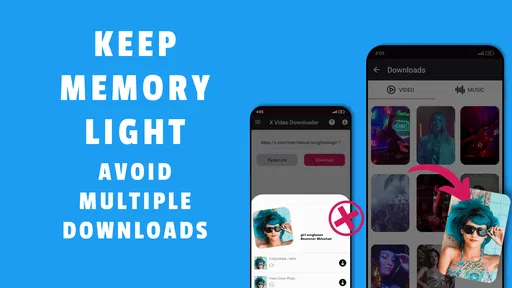
- No batch download option.
- Requires stable internet connection.
- Lacks support for HD downloads.
Other Releases by Vidmark Inc.
View All
Hacker: Secret Codes & Ciphers
Libraries & Demo4.0

USB Connector Cast Phone to TV
Libraries & Demo3.6

Update Software App: Updates
Libraries & Demo3.9

Mirror Link Car Display
Libraries & Demo3.9
Similar Picks in This Category
View All
Google TV
Google LLC3.9

iTunes
Apple4.7

YouTube
Google LLC3.8

MX Player
Amazon Mobile LLC4.2

CapCut - Video Editor
Bytedance Pte. Ltd.3.5

PLAYit-All in One Video Player
PLAYIT TECHNOLOGY PTE. LTD.4.5
Frequently Asked Questions
How does Twitter Video Download work?
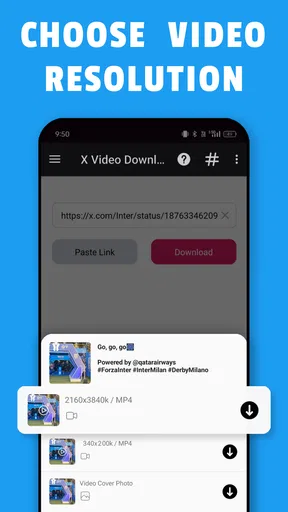
Twitter Video Download allows users to save videos from Twitter directly onto their devices. After copying the tweet link containing the video, users can paste it into the app's search bar. The app then processes the link and offers download options in various resolutions, making it easy to save the video for offline viewing.
Is Twitter Video Download safe to use?
Yes, Twitter Video Download is safe when downloaded from reputable sources like the official app store. The app doesn't require access to personal information beyond necessary permissions. However, users should always ensure they're using the latest version to benefit from security updates and to avoid potential security risks.
Are there any limitations on the types of videos I can download?
The app primarily supports downloading videos directly embedded in tweets. However, it may not work with videos that are part of Twitter's live streams or certain copyrighted content. Users should also be mindful of Twitter's terms of service, as downloading protected content without permission can infringe on rights.
Can I download videos in different resolutions?
Yes, Twitter Video Download typically offers multiple resolution options ranging from low to high quality. This feature is useful for managing storage space or when a specific video quality is necessary. Users can choose the desired resolution before starting the download, ensuring the video meets their viewing preferences.
Does using Twitter Video Download violate Twitter’s terms of service?
Downloading videos from Twitter can potentially violate Twitter's terms of service, especially if the content is copyrighted. Users should always seek permission from the content creator before downloading and avoid sharing downloaded videos without proper credit. It's important to use the app responsibly and ethically.
